
Send a brief.
Sign a document.
The whole job — structure, copy, pricing math, and a finished design — happens between those two moments.
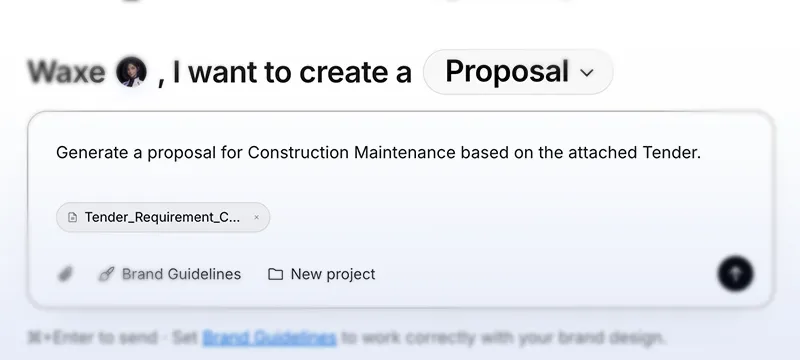
Tell Waxe what you’re pitching
Three sentences is enough — or hand over whatever the client sent you. Waxe reads it all.
- Tender
- Requirement doc
- Meeting transcript
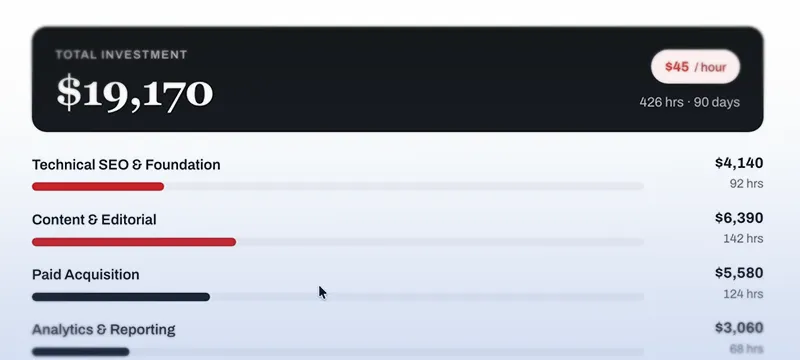
Waxe writes, prices, and designs
She drafts the story, does the pricing math, and art-directs the layout around your brand — colors, type, voice. From scratch, not from a gallery.
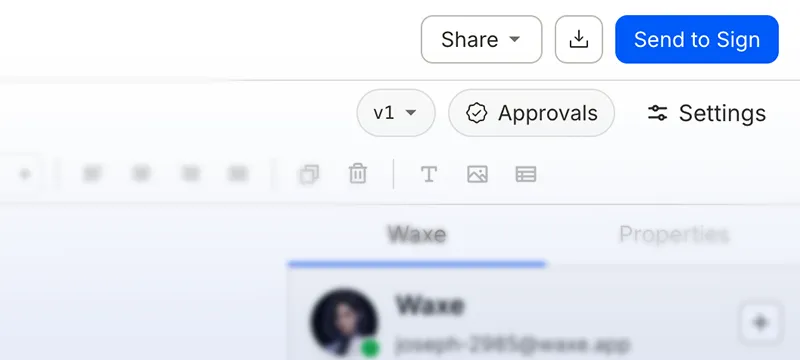
Send it to be signed
About five minutes later: an editable document with a share link, e-signature, and a branded PDF. Out the door the same day.
Everyone drafted from scratch. Templates can’t win deals.
Reusing old proposals or relying on templates fails because every project’s scope is unique. Waxe builds custom proposals tailored precisely to your client’s requirements.


Hire Waxe, 14 days of human labor, done in a single hour.
Waxe isn’t a chatbot with a text box. She’s a colleague with a job: read your brief, ask nothing twice, and hand back work you’d bill for. You hire her by the credit, and she never sleeps on a deadline.
- Learns from experienceTell her a preference once — she remembers it and applies it to every document after.
- A CRM that actually thinksClients, projects, and terms live in one working memory — recalled the moment they matter.
- Designs it for your brandExtracts your colors, type, and voice from your site — then art-directs.
- Gets it signedShare link, e-signature, and a print-ready branded PDF, built in.
Email Waxe Just Like a Coworker
Skip the learning curve. Treat Waxe like your ultra-efficient AI colleague — just forward your client’s project brief, tender, or requirements straight to her, or send her a direct email. Waxe will respond back with your fully drafted documents, exactly as requested.
The proposal you write at 9 p.m. is the most expensive one.
Every senior hour spent fighting a word processor is an hour you couldn’t bill. That’s the real price of “we’ll send it Thursday.”
What a document costs
- By hand
- 1–2 working daysof a senior person’s week
- With Waxe
- ~5 minutesbrief to branded, signable PDF
- Cost
- ~$0.40as per annual business plan
Everything for the whole deal, on one desk.
Waxe writes the document; the workbench is everything around it — edit by hand, co-author live, control access, run your pipeline, export branded PDFs, and route approvals.
Every term of the deal, on one table — priced, branded, ready to sign.
Ask for any change — you approve it before it lands.
Visitors enter a 6-digit code.
Legal review · required
- Encrypted end to endAES-256 at rest, TLS 1.2+ in transit.
- Isolated per workspaceYour documents and brand assets never mix with anyone else’s.
- Never used for trainingYour content is never used to train external AI models.
Your next proposal is five minutes away.
Brief Waxe tonight. Start with 100 credits: a permanent 40-credit signup bonus plus 60 credits that reset every month.
Free plan · 100 signup credits · 60 monthly credits · No credit card
Frequently asked.
What waxTable is, what Waxe can make, and how pricing, privacy, and editing all work.
What is waxTable?
waxTable is an AI document workspace where an AI agent named Waxe generates, edits, and exports finished, on-brand business documents from a single prompt. It's built for small teams at agencies, SMBs, and professional-service firms who need polished, client-ready paperwork — proposals, contracts, reports and more — without hiring a designer or a doc-ops specialist.
What kinds of documents can Waxe create?
Waxe drafts proposals, contracts, pitch decks, invoices, NDAs, scopes of work, reports, and briefs. Each one is generated end-to-end — written, branded, paginated, and exported as a ready-to-send PDF — not a rough draft you still have to finish and format yourself.
How does waxTable's pricing work?
waxTable charges for the work Waxe actually does — never per document or per seat. Paid plans include monthly credits — 600 on Basic, 3,450 on Pro, or 12,000 on Business — starting at $8/month. A typical document costs around 60 credits, and everyday prompt-based edits run on a faster model that barely touches your balance.
Is there a Free plan, and do I need a credit card?
Yes. Start with 100 credits: 40 signup bonus credits that never expire plus 60 monthly credits that expire and renew each month. No card is required. Free includes PDF export with waxTable.com at the bottom right of every page. Word, PowerPoint and PDFs without this branding are available on paid plans.
How does waxTable keep every document on-brand?
waxTable learns your brand once — your colors, fonts, and logo — and applies it to everything Waxe writes. Every document exports as a branded, paginated PDF in one click, so proposals and contracts look like a designer made them, with no manual reformatting.
Can I edit and collaborate on what Waxe writes?
Yes. Every document opens in a familiar Word-like editor with tracked changes, so you can revise by hand or ask Waxe for surgical, targeted edits. Teammates can co-author the same document live, control who has access, and route it through approval workflows before it goes out.
Is my business data private and secure?
Yes. Your workspace content is never used to train external AI models and is never sold. Every workspace is isolated from every other, and your data is encrypted in transit (TLS 1.2+) and at rest (AES-256) — Waxe processes your documents only to do your work.
Do I need to install or learn a new app?
No. You can brief Waxe the way you already work — forward an email, send a WhatsApp message, or record a quick voice note — and Waxe reads it and writes the document. There's nothing to install and no new tool to learn.
Why not just use ChatGPT?
Because ChatGPT gives you text, and the text was never the part that took two days. You still have to lay it out, price it, apply your brand, paginate it and get it out the door — and next month it remembers none of it. waxTable hands you the finished document: pricing that adds up across every workstream, your brand already applied, ready to send. And it remembers the client, the scope and the terms, so the proposal becomes the scope of work, then the contract, then the invoice.
Still have questions? Check the help center