
AI Requirements Document Generator
The AI Requirements Document Generator turns a rough product brief into a testable spec with stable IDs and acceptance criteria in minutes.

Real examples of requirements documents, generated end to end
Three requirements documents Waxe actually finished — each document branded, paginated, and ready to send. Hover a card to flip through its pages, then open any style to read the whole document.


What goes into a Requirements Document
- 1Overview & objectives
Overview and objectives frame the product, the problem it solves, and the measurable goals the requirements exist to satisfy.
- 2Scope & context
Scope and context set the boundaries, the systems and users involved, and where this requirements set begins and ends.
- 3Functional requirements
Functional requirements list what the product must do, each a single verifiable statement with a stable ID.
- 4Non-functional requirements
Non-functional requirements specify how the product must behave — performance, security, reliability — in the same testable, ID-tagged form.
- 5Acceptance criteria
Acceptance criteria attach pass-or-fail conditions to each requirement so QA can confirm it is met.
- 6Assumptions & constraints
Assumptions and constraints record the conditions taken for granted and the limits the solution must respect.
- 7Out-of-scope
Out-of-scope states plainly what this requirements document deliberately excludes, so expectations stay aligned.
How Waxe builds your requirements document
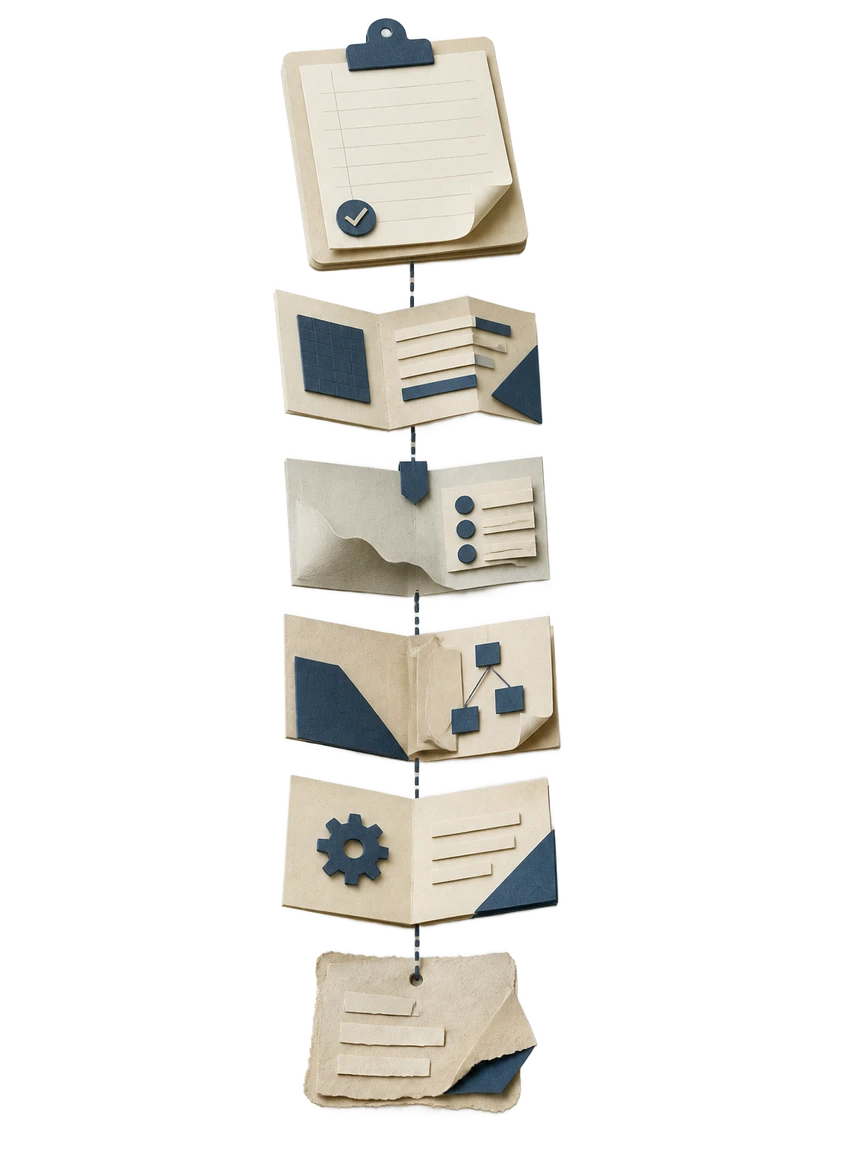
- 1
Describe the product
You tell Waxe what you are building, who it serves, and the objectives it must meet. Plain language is enough — a paragraph, a brief, or notes from a kickoff call. Waxe reads the context and identifies the requirements hiding inside it.
- 2
Separate functional from non-functional
Waxe sorts what the product must do from how it must perform. Functional behavior, performance, security, and reliability each land in the right section. Nothing gets blended into a single vague paragraph, so reviewers can scan the parts they own.
- 3
Write each requirement as a testable statement
Every requirement becomes one verifiable sentence and receives a stable ID. Waxe drafts acceptance criteria alongside it, turning intent into something QA can pass or fail. Ambiguous phrasing is rewritten so a tester knows exactly what to check.
- 4
Mark assumptions, constraints, and scope
Waxe records the assumptions the spec rests on and the constraints the build must honor. She also writes an explicit out-of-scope section. The boundaries are stated up front instead of surfacing as arguments mid-project.
- 5
Review and refine in the editor
The finished requirements document opens in waxTable, formatted as it will print. You adjust any line directly or ask Waxe to split, reword, or add criteria. IDs hold steady, so the spec stays traceable as you finalize it.
What the AI Requirements Document Generator gives you
Verifiable, not vague
Each requirement is a single statement a tester can confirm. Waxe rewrites loose intent into testable language, so QA and engineering read the same meaning instead of guessing at it.
Stable IDs throughout
Every functional and non-functional requirement carries an ID that survives edits. Review comments, test cases, and change requests reference one line precisely, with no quoting or renumbering by hand.
Acceptance criteria included
Waxe attaches pass-or-fail conditions to each requirement at generation time. You receive a spec QA can act on immediately, not a list of intentions someone still has to make measurable.
Functional and non-functional, separated
Behavior, performance, security, and reliability land in their own sections. Reviewers scan the part they own without wading through everything else, and nothing important hides in a wall of text.
Scope made explicit
Assumptions, constraints, and an out-of-scope section are written up front. Boundaries are stated before the build starts, so scope creep has fewer places to slip in unnoticed.
Minutes, a few cents
A specification that took two days of drafting and renumbering returns in about five minutes for a few cents in credits. You spend the saved hours deciding what the product should do.
The old way versus waxTable
From brief to signed-off spec
Capture the brief
You hand Waxe the product context — objectives, users, and the problem in plain language. No structure required; the raw brief is enough to start. Waxe reads it and pulls out the requirements it implies.
Generate the structured draft
In about five minutes, Waxe returns the full document: overview, scope, functional and non-functional requirements with IDs, acceptance criteria, assumptions, constraints, and out-of-scope. The spec arrives organized the way reviewers expect to read it.
Review with stakeholders
Engineering and the business read the same testable statements, referencing requirements by ID. Comments target exact lines. Waxe applies the agreed edits in the editor while IDs stay stable, so the document never loses its traceability.
Sign off and hand to the team
The finalized requirements document prints exactly as previewed and goes to engineering and QA ready to build against. Acceptance criteria are already in place, so testing can plan against the spec from day one.
Our promise
A requirements document is only useful if every line can be tested. I write each requirement as one verifiable statement with a stable ID and its own acceptance criteria, so your team builds against a spec, not a guess.Waxe, your AI operations manager
Questions, answered
What does the AI Requirements Document Generator actually produce?
It produces a precise, testable requirements document, not a loose wish list. Waxe drafts an overview and objectives, scope and context, numbered functional and non-functional requirements, acceptance criteria, assumptions and constraints, and an explicit out-of-scope section. Every requirement is a single verifiable statement carrying a stable ID, so engineers and QA can trace it later. You describe the product in plain language, and the document arrives structured the way reviewers expect to read it.
Why does each requirement get a stable ID and acceptance criteria?
Stable IDs let everyone reference a requirement without quoting it in full, so review comments, test cases, and change requests all point to the same line. Acceptance criteria turn each requirement into something a tester can pass or fail, instead of a sentence open to interpretation. Waxe writes both at generation time, so the spec is verifiable the moment it lands. That removes the back-and-forth where engineering and the business argue over what a vague line meant.
How long does it take and what does it cost?
A requirements document that used to eat two days of drafting and reformatting comes back in about five minutes. You give Waxe the product context, she returns the full structured spec, and you refine it in the editor. The cost is a few cents in credits per document rather than billable hours of a product manager's week. You spend your time deciding what the product should do, not formatting headings and renumbering requirements by hand.
Can I edit the requirements after Waxe generates them?
Yes. The document opens in the waxTable editor exactly as it will print, so you can tighten a functional requirement, split a non-functional one, or move an item into out-of-scope. Ask Waxe in chat to add an acceptance criterion or reword a constraint, and she proposes the change for you to accept or reject. IDs stay stable as you edit, so traceability holds. Nothing is locked, and nothing forces you to accept a draft you do not agree with.
How is this different from starting from a requirements template?
A template hands you empty headings and leaves the hard part — writing verifiable requirements — to you. The AI Requirements Document Generator designs the whole spec around your actual product, populating functional and non-functional requirements, acceptance criteria, and scope with content that fits what you described. Waxe keeps each requirement to one testable statement and assigns IDs automatically. You start from a reviewable draft instead of a blank form, then spend your effort on judgment rather than structure.
Your next requirements document, in five minutes
Tell Waxe about the client and get a complete, on-brand requirements document to review — the work of two days for a few cents. There is no blank page to start from and nothing to format by hand; you answer a short brief, Waxe does the drafting, and you keep full control of the final document in the editor.