
The Requirements Document Template Alternative
The requirements document template alternative that generates a testable, ID-stamped spec with acceptance criteria in minutes for a few cents.

The requirements document template alternative, line by line
What goes into a Requirements Document
- 1Overview & objectives
Overview and objectives state the purpose of the system and the measurable goals the requirements are meant to satisfy.
- 2Scope & context
Scope and context fix the boundary of the work and the environment the system operates within.
- 3Functional requirements
Functional requirements list what the system must do, each as a single verifiable statement with a stable ID.
- 4Non-functional requirements
Non-functional requirements specify qualities like performance, security, and reliability, each testable and individually identified.
- 5Acceptance criteria
Acceptance criteria define how each requirement is proven met, written against its requirement ID.
- 6Assumptions & constraints
Assumptions and constraints record the conditions, dependencies, and limits the team is building under.
- 7Out-of-scope
Out-of-scope lists the work deliberately excluded so reviewers see exactly what the project will not deliver.
How Waxe generates your requirements document
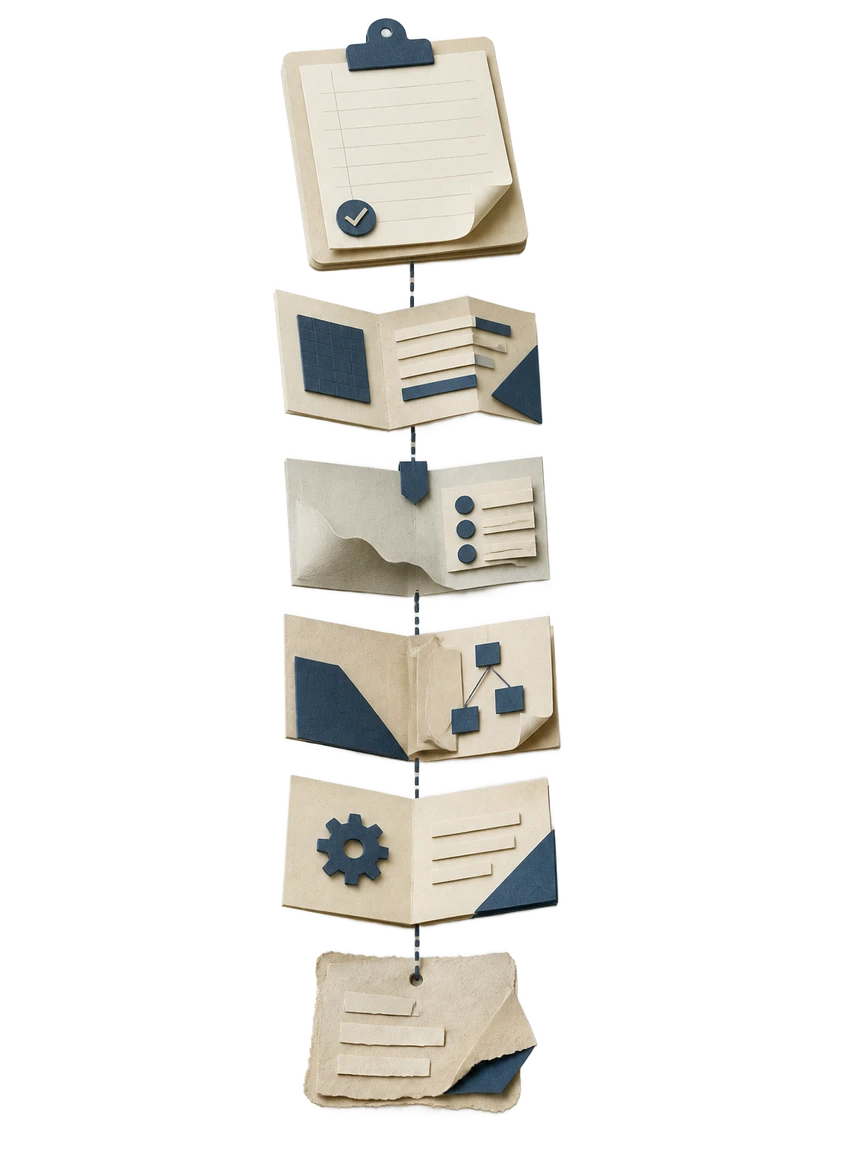
- 1
Share the brief
You describe the system, its users, and the objectives it must meet. Waxe reads the brief and frames the overview and objectives that anchor the rest of the specification. No blank template, no setup.
- 2
Fix the scope
Waxe drafts the scope and context section, marking the boundary of the work. She separates what is included from what belongs in out-of-scope, so the coverage of the document is explicit before any requirement is written.
- 3
Write the requirements
Waxe generates functional and non-functional requirements, each a single verifiable statement with a stable ID. Performance, security, and reliability qualities are captured as their own numbered lines rather than buried in prose.
- 4
Attach acceptance criteria
For each requirement, Waxe writes acceptance criteria tied to its ID, so every line carries a clear test of done. Assumptions and constraints are pulled into their own section to keep the requirements clean.
- 5
Review and refine
You read the draft, split or tighten any requirement, and move items across the scope line. Waxe updates the affected acceptance criteria while keeping every ID stable. The finished document is ready in minutes for a few cents.
Built for testable, traceable requirements
Single verifiable statements
Every functional and non-functional requirement is written so a tester can confirm it as met or unmet. No compound wishes, no ambiguity. Each line stands on its own as one checkable claim.
Stable requirement IDs
Each requirement carries an ID that does not shift when you insert, reorder, or remove lines around it. Acceptance criteria and traceability survive every edit you make in the workspace.
Acceptance criteria built in
Acceptance criteria are generated against requirement IDs, so each requirement arrives with its own definition of done. The link between a requirement and its proof never drifts as the document changes.
Clean scope boundaries
Scope and context, out-of-scope, and assumptions and constraints each get a dedicated section. Reviewers can see at a glance what is in, what is out, and what conditions the work depends on.
Minutes, not days
A specification that would take a day or two to draft and number by hand is generated in about five minutes. You spend your time reviewing requirements rather than formatting and renumbering them.
A few cents per document
Each requirements document is generated for a few cents instead of a billable block of analyst time. Regenerate, edit, and refine as the system changes without watching a meter.
What's in every requirements document
- Overview and objectives tied to measurable goals
- Scope and context with a clear work boundary
- Functional requirements, each a verifiable statement
- Non-functional requirements for performance, security, and reliability
- A stable ID on every requirement
- Acceptance criteria written against each requirement ID
- Assumptions and constraints in their own section
- An explicit out-of-scope list
From brief to signed-off specification
Brief
You hand Waxe a short description of the system, its users, and the objectives it must meet. That brief becomes the overview the requirements are measured against.
Generate
Waxe produces the full document, with scope, functional and non-functional requirements, acceptance criteria, assumptions, and out-of-scope all generated together in minutes.
Review
You tighten wording, split requirements, and move items across the scope line. Waxe keeps every requirement ID stable and updates the affected acceptance criteria.
Sign off
The testable, ID-stamped specification is ready to share with engineering, QA, and stakeholders, with each requirement traceable to its proof of done.
Questions, answered
What makes this the requirements document template alternative instead of just another template?
A template hands you empty headings and leaves you to invent every requirement, ID, and acceptance criterion yourself. waxTable instead generates a full requirements document from your brief, with numbered functional and non-functional requirements that each read as a single verifiable statement. Waxe keeps every requirement ID stable, ties acceptance criteria back to the right line, and separates scope from out-of-scope. You review and edit, rather than starting from a blank grid. The result arrives in minutes for a few cents, not after a long afternoon of copy-paste.
How does waxTable keep each requirement testable and uniquely identified?
Waxe writes every functional and non-functional requirement as one verifiable statement, so a tester can confirm it is met or not met without guesswork. Each requirement carries a stable ID that does not shift as you add, reorder, or remove lines around it. Acceptance criteria are written against those IDs, so the link between a requirement and its proof never drifts. Constraints and assumptions live in their own section rather than being buried inside requirement text. That structure is what makes the document traceable end to end.
Can I control scope and what stays out of the requirements document?
Yes. The document opens with overview and objectives, then a dedicated scope and context section that fixes the boundary of the work. Anything deliberately excluded goes into a separate out-of-scope section, so reviewers can see at a glance what the project will not deliver. You can tell Waxe to move an item across that line, and she rewrites the affected requirements and acceptance criteria to match. Assumptions and constraints stay in their own section so they never get confused with scope. This keeps later disputes about coverage to a minimum.
How long does it take and what does it cost to generate one?
A requirements document that would take a day or two to draft and number by hand is generated in about five minutes. You give Waxe a short brief about the system and its objectives, and she returns the full specification ready to review. Editing a requirement, splitting one in two, or tightening an acceptance criterion happens in the workspace without rebuilding the document. Each generation costs a few cents rather than a billable block of analyst time. The framing is always time saved and a few cents, never a per-page fee.
What does the finished requirements document actually contain?
It contains seven parts in order: overview and objectives, scope and context, functional requirements, non-functional requirements, acceptance criteria, assumptions and constraints, and out-of-scope. Functional requirements describe what the system must do, while non-functional requirements cover qualities like performance, security, and reliability. Acceptance criteria define how each requirement is proven met. Assumptions and constraints record the conditions the team is building under. Every section is generated together so the IDs, criteria, and scope stay consistent across the whole document.
Your next requirements document, in five minutes
Tell Waxe about the client and get a complete, on-brand requirements document to review — the work of two days for a few cents. There is no blank page to start from and nothing to format by hand; you answer a short brief, Waxe does the drafting, and you keep full control of the final document in the editor.