
AI Receipt Generator for Graphic Design
An AI Receipt Generator for Graphic Design that turns a paid project fee into a clean, on-brand receipt in minutes.

Built for Graphic Design
Where it hurts
- Clients undervalue creative work and ask for 'just a logo' without understanding the strategy and rounds behind it
- Unlimited revisions destroy margin when the proposal doesn't cap rounds and define what a round is
- Usage rights, source files and licensing get contested later if ownership isn't spelled out upfront
- A plain, text-heavy quote undercuts a studio whose whole value proposition is visual craft
- Prospects compare a bespoke identity engagement to a cheap template marketplace on price alone
Pricing model: fixed project fee by scope and rounds
What you hand over
- Creative brief and discovery workshop
- Moodboards and design direction concepts
- Logo suite and brand mark variations
- Colour, typography and visual system
- Brand guidelines document
- Print and digital asset templates
- Final artwork, source files and usage licence
What goes into a Receipt
- 1Receipt & transaction number
A unique receipt and transaction number that ties this payment to the specific brand identity project and makes it easy to reference later.
- 2Payment date
The payment date that fixes when the studio's fee was settled, marking the moment the engagement was paid in full.
- 3Paid-by & paid-to details
Clear paid-by and paid-to details naming the client and the studio so the record is unambiguous on both sides.
- 4Itemised summary
An itemised summary listing the discovery workshop, moodboards, logo suite, visual system and final source files the fee covered.
- 5Total paid
The total paid, matching the agreed fixed project fee by scope and rounds with no hourly ambiguity.
- 6Payment method
The payment method showing how the client settled, recorded for the studio's books and any later reference.
- 7Paid confirmation
A clear paid confirmation stating the brand identity work is settled in full, closing the engagement cleanly.
How Waxe generates your design studio receipt
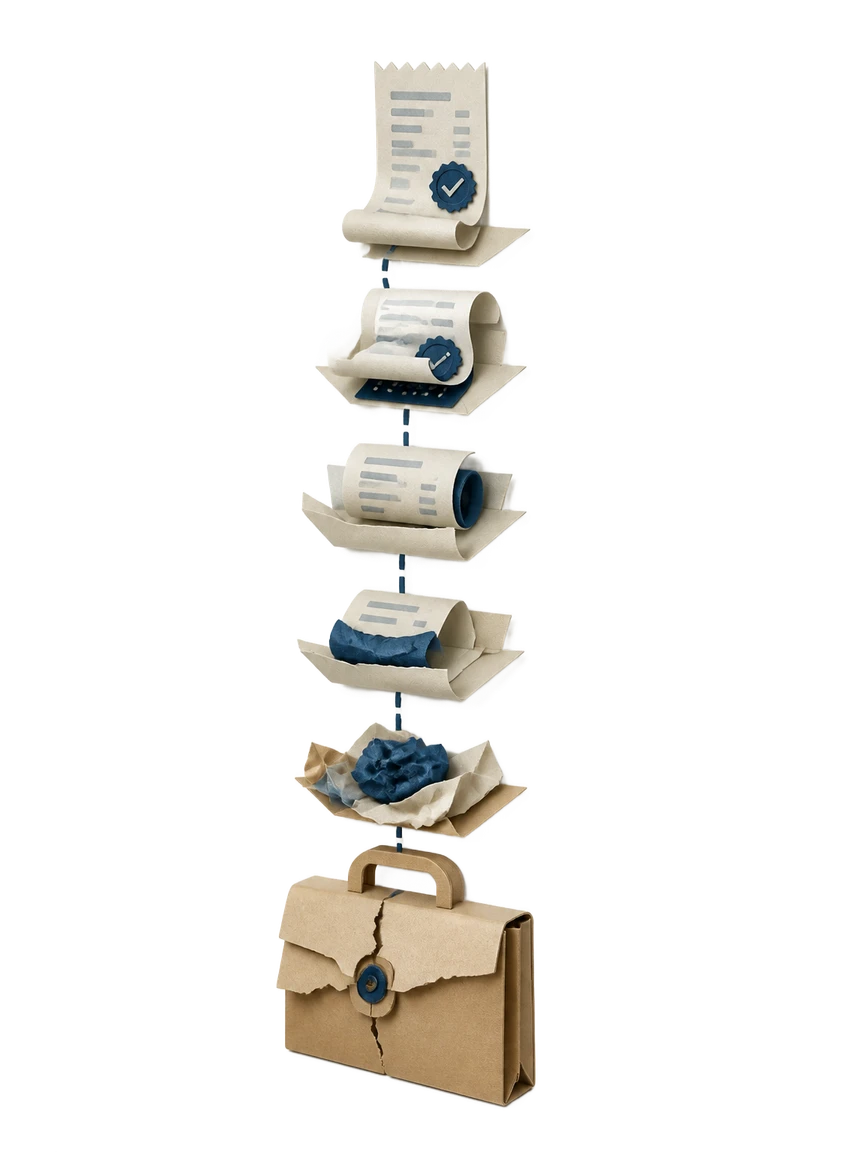
- 1
Name the paid project
Tell Waxe which engagement was paid, from the logo suite to the full brand identity build. She pulls the scope and the agreed fixed project fee so the receipt matches the proposal the client already approved. No retyping line items from memory.
- 2
Confirm the amount and method
Enter the total paid and how the client settled it. Waxe records the payment method and the payment date, then assigns a receipt and transaction number. These details anchor the document as a dated, past-tense record of a completed payment.
- 3
Itemise the deliverables
Waxe breaks the fee into the work it covered: the discovery workshop, moodboards, logo suite, colour and typography system, brand guidelines and final source files. Naming usage rights and the licence here removes any later dispute over what the payment bought.
- 4
Apply your visual system
waxTable styles the receipt with your colour, typography and visual system so it reads like your studio, not a generic export. The paid confirmation, total and numbers sit in a clean layout that reflects the craft your clients pay for.
- 5
Review and send
Scan the finished receipt, adjust any line, and send it. The whole pass takes about five minutes for a few cents, so confirming payment never pulls a designer off billable work for an afternoon.
What an on-brand receipt looks like
An on-brand result reads as proof of craft, not a stripped invoice export. The receipt number, payment date and itemised deliverables sit in your studio's colour and typography, with the paid confirmation and total paid stated plainly. It looks like the same identity work you sell, carried through to the paperwork.

The old receipt template versus waxTable
Why design studios use waxTable for receipts

Carries your visual system
The receipt inherits your colour, typography and visual system, so it looks like your studio rather than a default export. For a brand whose whole value is craft, a polished receipt reinforces the work instead of undercutting it.
Minutes, not an afternoon
Waxe builds the full receipt in about five minutes for a few cents. There is no template to reformat and no numbers to copy between tools, so confirming payment stops pulling designers off billable client work.
Documents usage rights
The itemised summary names the licence, final artwork and source files as paid items. That dated record settles ownership upfront, so usage rights and source files are not contested months after handoff.
Matches your fixed fee
Because your fee is fixed by scope and rounds, the total paid mirrors the proposal the client approved. The receipt itemises what that fee covered instead of inventing hourly lines, keeping the record clean and consistent.
Clean paid confirmation
Every receipt carries a transaction number, payment date and a clear paid-in-full confirmation. The engagement closes with an unambiguous record both the studio and the client can reference at any time.
Questions, answered
What is the AI Receipt Generator for Graphic Design and who is it for?
It is a waxTable workspace that produces a finished payment receipt for graphic design studios in minutes. Waxe, your AI operations manager, drafts the document from your project details so you confirm payment without rebuilding a layout by hand. It fits studios billing a fixed project fee by scope and rounds, where each engagement covers a brief, design direction, a logo suite and a final artwork handoff. The result is a past-tense record that the brand identity work has been paid in full. It takes about five minutes for a few cents instead of an afternoon in a design tool.
Does the receipt reflect how design studios actually bill by scope and rounds?
Yes. Because your pricing is a fixed project fee set by scope and the number of revision rounds, the receipt itemises what that fee covered rather than billing by the hour. Waxe lists the discovery workshop, moodboards, logo suite, visual system and final source files as paid line items. The total paid matches the agreed fee, so there is no ambiguity once the work is delivered. This keeps the record consistent with the proposal the client already approved. It also documents that capped rounds were included in the price.
Will the receipt look like it came from a real design studio?
It will. A plain, text-heavy receipt undercuts a studio whose whole value proposition is visual craft, so waxTable generates a designed document, not a stripped invoice export. Waxe applies your colour, typography and visual system so the receipt carries the same identity you build for clients. The receipt number, payment date and paid confirmation sit in a clean, considered layout. The document reads as proof that the studio delivers polish on every touchpoint, including the paperwork. That consistency is part of how you defend your fee.
Can the receipt confirm usage rights and source-file handoff were paid for?
Yes. Usage rights, source files and licensing get contested later when ownership is not spelled out, so the itemised summary names the final artwork, source files and usage licence as paid deliverables. This creates a dated record that the client paid for those specific items. When a question comes up months after handoff, the receipt shows the licence and files were part of the settled total. Waxe pulls these straight from what you delivered. It removes the awkward back-and-forth over what the fee actually bought.
How fast is it and what does it cost to generate a receipt?
Generating one receipt takes about five minutes for a few cents. You give Waxe the project, the paid amount and the payment details, and waxTable assembles the receipt number, date, itemised summary, total paid, payment method and paid confirmation. There is no manual layout work and no copying numbers between tools. What used to mean opening a design file and aligning a template now happens in one short pass. The time saved goes back into client work rather than admin.
Your next receipt, in five minutes
Tell Waxe about the client and get a complete, on-brand receipt to review — the work of two days for a few cents. There is no blank page to start from and nothing to format by hand; you answer a short brief, Waxe does the drafting, and you keep full control of the final document in the editor.