
AI Receipt Generator for Video Production
An AI Receipt Generator for Video Production that turns a paid project into a clear, itemised receipt in minutes.

Built for Video Production
Where it hurts
- Clients picture only the shoot day and underestimate pre-production and the edit, so the budget feels high
- Deliverable specs (cuts, lengths, aspect ratios, revisions) cause disputes unless they're itemised upfront
- Crew, kit, location and talent costs are opaque to buyers without a transparent line-item breakdown
- Revision rounds and additional edit versions quietly eat margin when they aren't capped in writing
- A generic quote can't convey production value, which is the whole reason a premium studio wins the brief
Pricing model: fixed project fee by production scope
What you hand over
- Creative concept and treatment
- Pre-production: scripting, storyboard and shot list
- Production crew, equipment and direction
- On-location or studio filming days
- Editing, colour grade and sound mix
- Motion graphics and titles
- Final masters in agreed formats and aspect ratios

What goes into a Receipt
- 1Receipt & transaction number
A unique receipt and transaction number ties this paid video project to its quote, contract and any prior invoice for a clean trail.
- 2Payment date
The payment date records exactly when the studio's fee cleared, marking the production engagement as settled.
- 3Paid-by & paid-to details
Paid-by and paid-to details name the client and your studio in full, so the record is unambiguous for both books.
- 4Itemised summary
The itemised summary breaks the fee into concept, pre-production, filming days, edit, colour grade, sound mix, motion graphics and final masters, with cuts, lengths and aspect ratios named.
- 5Total paid
The total paid states the agreed fixed project fee in one clear figure, matching the scope that was delivered.
- 6Payment method
The payment method confirms how the studio was paid, whether bank transfer, card or another agreed route.
- 7Paid confirmation
A clear paid confirmation closes the project, leaving no question that the video production fee is settled in full.
How Waxe generates your video production receipt
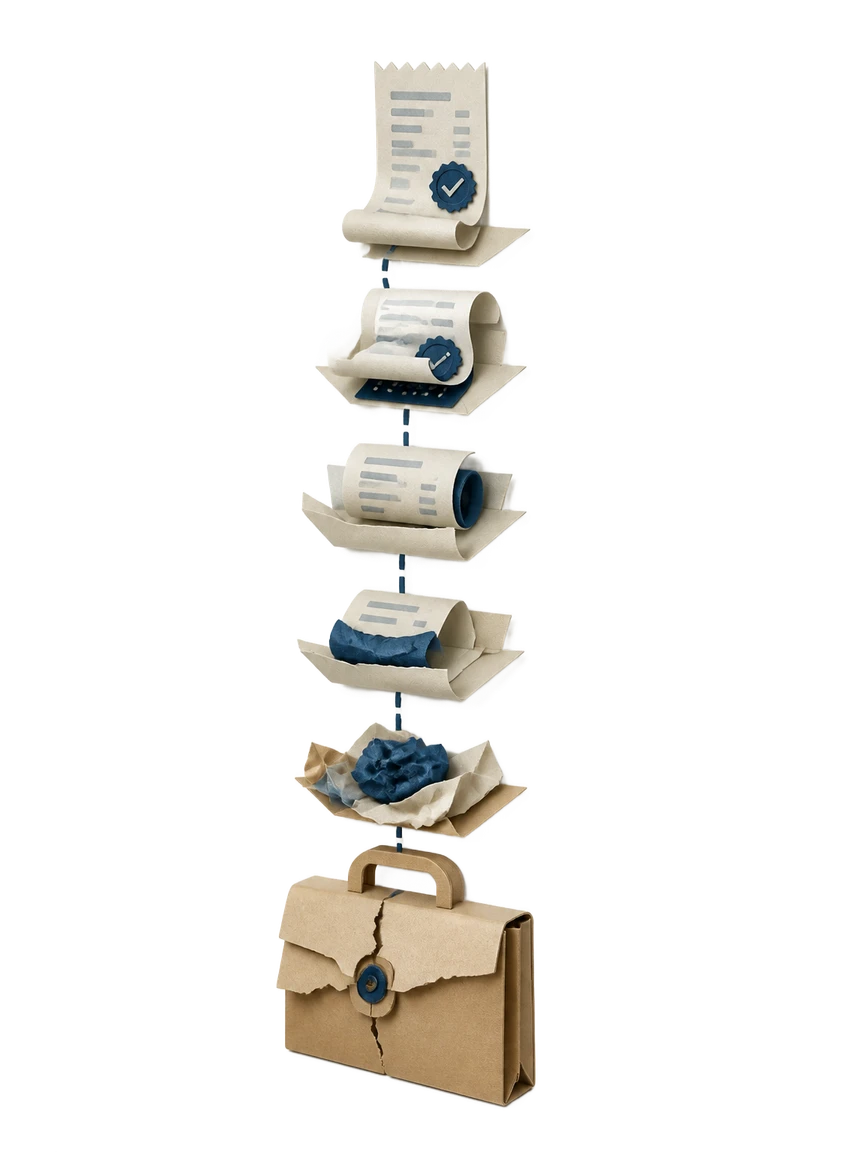
- 1
Share the paid project
Tell Waxe which video production engagement was paid and the agreed fixed project fee. Point her at the original scope, the deliverables list, and the client details. She uses these as the source of truth so the receipt matches what you actually shot and shipped.
- 2
Waxe itemises the deliverables
Waxe turns your scope into line items: concept and treatment, scripting, storyboard and shot list, crew and equipment, filming days, edit, colour grade and sound mix, motion graphics, and final masters. Cuts, lengths, aspect ratios and revision rounds appear by name, so nothing your client paid for is left implied.
- 3
She assembles the receipt
Waxe drops in a receipt and transaction number, the payment date, paid-by and paid-to details, the total paid, and the payment method. She closes with a clear paid confirmation. In about five minutes you have a complete, past-tense record of the engagement.
- 4
Brand and review
The receipt is generated on your studio's brand, matching the type, colour and layout of your treatments and decks. Review every line, adjust any wording or figure, and confirm the breakdown reads the way you want a premium client to see it.
- 5
Issue and file
Send the finished receipt the same hour the payment clears. The transaction number keeps it tied to the quote and contract, so your records stay clean. Reuse the same setup for the next paid project in minutes, for a few cents each time.
What an on-brand video production receipt looks like
An on-brand result reads as a confident close to a creative engagement, not a bare payment stub. The itemised summary lists concept, pre-production, filming days, edit, colour grade, sound mix and final masters with cuts, lengths and aspect ratios named, then lands on the total paid and a clear paid confirmation. The type, colour and layout match the treatments your clients already know you by.

The old way versus waxTable
Why video production studios use waxTable for receipts

Issued the hour payment clears
Hand-building a reconciled receipt can take most of a day. Waxe returns a complete, itemised document in about five minutes for a few cents, so you confirm the paid engagement the same hour the fee lands.
Every deliverable itemised
Cuts, lengths, aspect ratios and revision rounds are named as separate lines. The client reads exactly what the fixed project fee covered, which closes the disputes that vague summaries usually invite.
Transparent production costs
Crew, equipment, location and talent stop being one opaque number. Waxe breaks the fee into the work that earned it, so clients who pictured only the shoot day see where the budget actually went.
Margin-safe revision records
Extra edit versions and additional revision rounds quietly eat margin when they go unrecorded. The receipt lists capped revisions and any extras as their own lines, so what was paid matches what was scoped.
On-brand, premium finish
A generic receipt cannot convey the production value that won you the brief. waxTable generates the document on your studio's brand, so the paid confirmation closes the engagement on the same standard as your treatments.
Questions, answered
What does the AI Receipt Generator for Video Production actually produce?
It produces a concise, past-tense receipt confirming a video production project has been paid in full. The document carries a receipt and transaction number, the payment date, paid-by and paid-to details, an itemised summary of what was delivered, the total paid, the payment method, and a clear paid confirmation. The line items mirror what a studio actually ships: concept and treatment, pre-production, filming days, edit, colour grade, sound mix, and final masters. Waxe drafts it from your project scope so the record matches the brief you delivered.
Can the receipt itemise cuts, lengths, aspect ratios and revision rounds?
Yes, and that is the point. Deliverable specs cause disputes when they are vague, so the itemised summary names each cut, its length, the agreed aspect ratios, and how many revision rounds were included. Capped revisions and any additional edit versions appear as their own lines, so the paid record matches what was scoped. A client reading the receipt sees exactly what their fixed project fee covered, with nothing left implied.
Will it reflect crew, kit, location and talent costs transparently?
It can. Crew, equipment, location and talent costs are opaque to buyers without a transparent breakdown, so Waxe lays out production days, direction, kit and on-location or studio time as separate line items. Pre-production scripting, storyboard and shot list sit alongside the edit, colour grade and sound mix. Because clients picture only the shoot day, this breakdown shows where the budget actually went. The receipt becomes a record of value delivered, not just a number paid.
How long does generating a video production receipt take, and what does it cost?
Drafting a complete, itemised receipt by hand can eat the better part of a day once you reconcile scope, deliverables and payment details. With waxTable, Waxe generates the same document in about five minutes for a few cents. You give the project scope and the paid amount; Waxe returns a structured receipt with the transaction number, line items, total and paid confirmation ready to send. You review, adjust any line, and issue it the same hour the payment clears.
Does the receipt look like a premium studio produced it?
Yes. A generic receipt cannot convey production value, which is the whole reason a premium studio wins the brief. waxTable generates the document on your brand, so the type, colour and layout match the treatments and decks your clients already associate with your work. The itemised summary reads like a confident record of creative and technical craft, not a bare invoice stub. The paid confirmation closes the engagement on the same standard you set everywhere else.
Your next receipt, in five minutes
Tell Waxe about the client and get a complete, on-brand receipt to review — the work of two days for a few cents. There is no blank page to start from and nothing to format by hand; you answer a short brief, Waxe does the drafting, and you keep full control of the final document in the editor.